
HIPAA Compliant AI Agents: What Buyers Must Verify


Patient calls are the highest-risk data an AI agent touches, and many vendors will demo a booking bot long before they show a signed Business Associate Agreement. Under HIPAA, any vendor that handles protected health information on your behalf is a business associate, and the contract is what makes it accountable.
A HIPAA compliant AI agent is a system that touches protected health information only under a signed BAA, with access controls, audit logs, encryption, and defined retention. Across 20 or 50 locations, every new site multiplies call recordings and transcripts, so this article lists what buyers must verify before signing.
Note: I left out the inline citation because I could not confirm a deep-link URL for a verifiable 2025 or 2026 statistic on this topic. If you send me a specific report, I can add the link. Otherwise, the Sources section can carry the citations.
What You'll Learn
- The specific HIPAA obligations that apply to AI agents, including BAAs, access controls, audit logging, and the minimum necessary standard
- Which patient-facing and internal workflows can run on an AI agent and which ones should keep a human in the loop
- How to compare build, buy, and outsource options on compliance, control, and total cost per location
- How to connect an agent to EHR, practice management, and CRM systems without exposing PHI to unnecessary systems
- A rollout sequence and checklist for deploying one compliant agent across many locations before scaling
What Is a HIPAA Compliant AI Agent?
A HIPAA compliant AI agent is software that uses an AI model to complete tasks while handling protected health information (PHI) under the Health Insurance Portability and Accountability Act. HIPAA has no certification program, so no agent arrives with an official stamp. Compliance means the vendor has the safeguards, contracts, and records to prove it.
PHI is any individually identifiable health information that a covered entity or its business associate creates, receives, or sends. That includes patient names tied to appointment dates, insurance IDs, diagnoses, and billing details. If an agent touches any of it, HIPAA applies.
How an AI Agent Differs From a Generic Chatbot
A generic chatbot answers questions from a script or a public knowledge base. An AI agent does more. It reads records, takes actions in other systems, and works through multi-step decisions. Those actions are where patient data moves.
Buyers should compare the two on the points that matter for privacy:
- Data access: A chatbot sees only the text typed into it. An agent can query scheduling, billing, or EHR systems.
- Actions: A chatbot replies. An agent books, reschedules, sends messages, or updates records.
- Data retention: A chatbot may log transcripts. An agent often stores transcripts, tool outputs, and session memory.
- Vendor chain: A chatbot may send text to one model provider. An agent often chains several model, tool, and hosting vendors.
The more an agent does, the more PHI it handles. That raises the compliance bar.
When an AI Agent Becomes a Business Associate
Under HIPAA, a business associate is a person or company that performs services for a covered entity when those services involve PHI. The HHS guidance on business associates sets out this role. Covered entities include health plans, healthcare clearinghouses, and most healthcare providers that bill electronically.
An AI agent becomes a business associate when it creates, receives, maintains, or transmits PHI on behalf of a covered entity. The label does not depend on the product name or the marketing. It depends on what the agent does with the data.
Three triggers make the status clear:
- The agent connects to the practice's EHR, practice management, or billing system.
- The agent stores or processes patient messages, call recordings, or intake forms.
- The agent sends PHI to a model provider, cloud host, or logging tool.
When any trigger applies, the vendor needs a business associate agreement (BAA) before PHI moves. Each subcontractor that touches PHI needs its own BAA. Teams scoping this work can start with our AI agents service, which maps data flows before any build begins.
Key Insight: An AI agent is a HIPAA business associate the moment it touches PHI for a covered entity. Verify the BAA and every subcontractor in the data path before you sign.
HIPAA Requirements an AI Agent Must Meet
Any AI agent that handles protected health information (PHI) falls under the HIPAA Security Rule. The rule sets the required administrative, physical, and technical safeguards. Buyers should check each requirement below before signing a contract. The HHS.gov Security Rule guidance is the starting point for that review.
Signed Business Associate Agreements
A business associate agreement (BAA) is a contract. It requires each vendor that handles PHI to protect it under HIPAA terms. An AI agent usually relies on several vendors, so each one needs coverage.
- Model provider: Confirm the BAA covers the exact API or service you call, not only a consumer product.
- Hosting provider: Confirm the BAA covers the specific cloud services your agent runs on.
- Subcontractors: Ask for a list of every downstream vendor that touches PHI, and proof that each one signed a BAA.
If a vendor will not sign a BAA, it cannot process PHI. Stop there.
Encryption in Transit and at Rest
Encryption protects PHI when it moves and when it sits in storage. The Security Rule treats both as addressable specifications. You must implement them or document a reasonable alternative.
- In transit: Use TLS 1.2 or higher on every connection, including webhooks and internal service calls.
- At rest: Encrypt databases, object storage, backups, and any vector store built from PHI.
- Keys: Store encryption keys in a managed key service, rotate them on a schedule, and keep them out of source code.
Role-Based Access and Audit Logs
Role-based access control limits each user and service account to the data its job requires. The Security Rule requires access controls and audit controls under 45 CFR 164.312. Your agent should follow the same rules as a staff member.
Audit logs record who accessed PHI, what they did, and when. Log every read and write, including actions the agent takes on its own. Review logs on a schedule, not only after an incident.
Retention Rules
Covered entities and business associates must keep required documentation for six years from its creation or last effective date (45 CFR 164.316). That covers policies, risk analyses, and BAAs. Retention for PHI itself often follows state law, which can be stricter.
Set deletion rules for the copies teams forget. These include prompt logs, call transcripts, cached responses, and debugging exports.
The Minimum Necessary Standard
The minimum necessary standard says you may use or disclose only the PHI needed for a specific task (45 CFR 164.502(b)). There are exceptions, such as disclosures to a provider for treatment. For an AI agent, the rule shapes every prompt.
- Send only the fields the task needs. A reminder call needs an appointment time, not the full chart.
- Strip identifiers the model does not need before the request leaves your system.
- Limit what the agent can retrieve, so it cannot pull records outside the current task.
Teams that build these controls into the agent from day one avoid expensive rework. If you need that build done, see our AI agents service. For a gap check against these requirements before you commit, start with our audit process.
Key Insight: HIPAA compliance for an AI agent is a set of contracts, controls, and data limits working together. A vendor that will not sign a BAA, or an agent that sends full records to a model, fails the review no matter how strong its features are.
Which Patient-Facing Workflows Can AI Agents Handle?
Start with work that carries no clinical content. These tasks follow fixed rules, so a conversational agent can run them at every location without a front desk lead watching each chat.
- Appointment scheduling: booking, rescheduling, and cancelling inside open slots
- Reminders: confirmations and arrival instructions sent by text or voice
- FAQs: office hours, parking, payment types, and directions
- Intake forms: sending the form link and confirming what was received
- Status updates: telling a patient whether a request is queued or complete
Low risk does not mean zero PHI. A reminder tied to a named patient is still protected health information. The business associate agreement, access controls, and audit logs still apply to these flows.
High-risk workflows that must route to staff
Some requests carry clinical meaning or heavy PHI. The agent should stop and hand the conversation to a person.
- Symptoms, side effects, or medication and dosing questions
- Lab results, imaging results, or questions about a diagnosis
- Requests to change a treatment plan or skip a prescribed step
- Billing disputes that involve claim history or diagnosis codes
- Complaints about care, or any mention of an emergency
Where the boundary sits
The boundary depends on intent, not on the topic word alone. "Can I move my Tuesday visit?" is a scheduling request. "Can I move my Tuesday visit because the lab results scared me?" is a clinical conversation that happens to include scheduling.
Build the routing rules before launch:
- Emergency language stops the chat at once and directs the patient to call 911 or the nearest emergency room.
- Clinical terms trigger a handoff to a licensed staff member.
- Requests that need the full chart or claim history go to an authenticated staff channel.
- Low confidence in intent sends the chat to a person after one clarifying question.
Test the rules with real phrasing from your own patient messages. Expect misses in the first month and review every one. A well-built AI agent workflow pairs the bot with a clear escalation queue, and workflow automation can move each handoff to the right staff member with the chat history attached.
Key Insight: Let the agent own scheduling, reminders, and FAQs, and make every clinical or PHI-heavy request a handoff by default. The safest line is the one that sends uncertain conversations to a person.
Need help applying this to your business? Tell us about your project and we will scope it with you.
Build vs. Buy vs. Outsource: Compliant Agent Options Compared
Every multi-location business has three ways to get a HIPAA compliant agent. You can build it with your own engineers, buy a packaged platform, or hire an agency for a custom build. Each path moves compliance work to a different party. None of them removes your legal obligations.
The core question is who signs what. Under HIPAA, any vendor that handles protected health information for you is a business associate. You need a signed Business Associate Agreement (BAA) with each one. That includes the model host, the voice or chat vendor, your hosting provider, and any agency with access to live patient data.
Build In-House
Building in-house gives you the most control. Your team owns every data flow, log, and access rule. It also gives you the most work.
What in-house requires:
- Engineers who understand HIPAA security controls
- Encryption, audit logging, and regular access reviews
- A BAA chain you manage yourself
- Ongoing security monitoring after launch
Speed is the weak point. A first version usually takes months. Security review sits on the critical path, and it cannot be rushed.
Buy a Packaged HIPAA-Eligible Platform
Packaged platforms launch fastest. Many offer a BAA and prebuilt templates for scheduling, intake, and follow-up. You can often go live in weeks instead of months.
The trade-off is control. You accept the vendor's data model, integrations, and pricing changes. Check whether the BAA covers the exact model and features you plan to use. Eligibility for one feature does not cover the rest.
Outsource a Custom Build to an Agency
An agency sits between the other two options. You get a system shaped to your intake process without hiring a full team. You still own the BAA chain and the access rules.
Ask the agency direct questions before you sign:
- Who holds the encryption keys?
- Where do conversation logs live, and for how long?
- Who can see PHI during development and testing?
- Will they sign a BAA before any real patient data moves?
Custom work fits best when workflows differ by location. A custom AI agent can be built around each site's scheduling rules while sharing one compliance layer. Workflow automation can connect the agent to your existing systems without copying data into new tools.
Side-by-Side Comparison
Per-Location Economics
Per-location cost usually decides the choice. A packaged platform often bills per location or per seat, so cost climbs with every new site. A custom or in-house build costs more up front, then spreads across the whole footprint.
Use a 12-month view that includes maintenance. Plain text formula: Cost per location = (Build cost + (Monthly run cost x 12)) / Number of locations. Run it for each option before you compare vendor quotes.
Key Insight: For groups with 10 to 150 locations, the cheapest launch is rarely the cheapest year. Price the BAA chain, maintenance, and per-site fees together before you choose.
How to Connect AI Agents to EHR, PMS, and CRM Systems Securely
Most agents connect to clinical and business systems in one of three ways. Each one carries a different level of risk.
- Direct API connection: The agent calls the EHR, PMS, or scheduling API in real time.
- Integration broker: A middleware layer sits between the agent and the systems of record.
- Filtered replica: The agent reads a copy of the data with identifiers removed.
Direct calls give the freshest data, but they widen the attack surface. A broker or replica lets you filter fields before the agent ever sees them. For lead intake, a filtered replica is usually the safest default.
Scope API Access to One Task
Every credential should carry only the permissions one workflow needs. A scheduling agent needs open appointment slots and a name to book against. It does not need chart notes.
- Grant read access to availability, not clinical notes
- Grant write access only to create or move appointments
- Block bulk export endpoints entirely
- Set short token lifetimes and rotate them on a fixed schedule
Use Tokenized Access, Not Shared Logins
Store credentials in a secrets manager, never in prompts, code, or config files. Give each agent its own service identity so you can revoke one without touching the others. Per-agent identities also make audits readable. When an auditor asks which system read a record, you can answer.
Minimize Data at the Integration Layer
Strip fields before they reach the model. HIPAA's minimum necessary standard limits uses and disclosures of PHI to what the purpose requires (45 CFR 164.502(b)).
Enforce this in the integration code, not in the prompt. A prompt that says "ignore the diagnosis" is not a control.
Keep PHI Out of Logs, Prompts, and Analytics
Three places leak PHI most often:
- Application logs that capture full request and response bodies
- Prompt traces sent to third-party observability tools
- Product analytics tools that record form field text
Replace names and dates of birth with random internal IDs in every log. Confirm each vendor that touches PHI will sign a Business Associate Agreement before any trace leaves your environment.
Keep Lead Data Separate From Clinical Data
Treat lead data as sensitive from first contact. A web form that asks about a symptom reveals health information even before a booking happens.
- Use separate databases for leads and clinical records
- Give the marketing agent its own service account with no path to the chart
- Run intake and clinical agents as separate instances
- Log cross-system access so any crossover is visible
Our AI agent build process starts with this data map, so each agent gets only the fields its job requires. For the workflow layer, see automation services.
Key Insight: The safest agent is one that never receives the data it does not need. Enforce scope, minimization, and separation in the integration layer, where auditors and attackers both look first.
ROI and Cost Per Location for HIPAA AI Agents
Judge the agent one location at a time. A 40-location group needs to know which sites pay back and which do not. A blended total hides weak sites.
Use this formula for every site:
ROI = (Total Benefits - Total Costs) / Total Costs x 100%
Use the same inputs at every location so the numbers compare fairly. Then roll the site results up into a group view.
Three benefit lines to count
Most operators count only one benefit. The strongest cases count three.
- After-hours and peak-period coverage. A call that goes unanswered after close is lost demand. Count missed calls per location per week, then multiply by your conversion rate and average visit value.
- Front-desk hours handled. Every hour the agent spends on intake, confirmations, and rescheduling is an hour staff spend on in-person work. Log call minutes per location to price this.
- Lead qualification throughput. The agent can ask screening questions, score the lead, and route it in one conversation. Measure qualified leads per day against your current queue.
Compliance overhead that raises build cost
HIPAA adds cost that a general chatbot does not carry. Budget for these items before you compare vendors:
- Business associate agreements with every vendor that touches protected health information
- Encryption in transit and at rest, plus audit logging
- Role-based access controls for each location and each staff role
- Retention and deletion rules for call transcripts
- A documented risk analysis and staff training
Each item adds to build and run cost. Price most of it once at the platform level, not per location. That way the cost spreads across the group and drops as you add sites.
Hypothetical example
The figures below are assumptions for a hypothetical 40-location outpatient group. They are not client results.
- After-hours calls convert to 24 booked visits per location per month
- Average visit value is $180
- Monthly benefit per location: 24 x $180 = $4,320
- Platform and compliance share: $1,100 per location per month
- Usage and telephony: $300 per location per month
- Total monthly cost per location: $1,400
ROI = ($4,320 - $1,400) / $1,400 x 100% = about 209%
Your numbers will differ. A location with low call volume may not pay back, so flag it before you roll out. For a scoped build, see how Gaazzeebo structures AI agent projects.
Key Insight: Compare cost per location, not total spend. Price the compliance layer once at the platform level, then test each site against the same three benefit lines.
Applying One Compliant Agent Architecture Across Many Locations
Multi-location operators face a repeating problem. Every new site becomes another place where data can leak, logs can go missing, and settings can drift. A single agent architecture solves this by treating each location as a configuration, not a new build.
Build the platform once. Then give each site its own settings on top of the shared core. The core stays the same everywhere, so compliance questions have one answer.
The Three Layers That Must Stay Consistent
Split the agent into three layers. Lock the first two across every site.
- Data handling layer: Encryption, access rules, retention periods, and redaction run the same way at every location.
- Logging layer: Every agent action writes to one central audit store with a location ID attached.
- Configuration layer: Each site sets its own hours, scripts, escalation contacts, and permitted actions.
Locked layers let a regional director answer one question with confidence: did every site follow the same rules? The answer should be yes without checking each store by hand.
Centralized Logging Makes Audits Practical
Central logs turn 40 locations into one searchable record. A reviewer can filter by location, date, or agent action in a single place. Without that, teams audit each site separately and miss gaps between them.
HIPAA's Security Rule requires covered entities to implement audit controls that record and examine activity in systems that contain protected health information (45 CFR 164.312(b)). Central logging is the simplest way to meet that requirement across many sites.
Location Settings Without Code Forks
Avoid copying the agent for each site. Copies drift apart within months, and every fix must be applied many times. Keep one codebase and store per-location settings as data.
Aedanrose, a restaurant technology company, shows this pattern in practice. It runs as a multi-tenant AI SaaS platform with 5 specialized agents for restaurants. Each restaurant runs on shared code, with its own data kept separate. The same structure applies to any business that operates many sites. Teams exploring this approach can review how Gaazzeebo designs AI agents for multi-site deployments, and the Aedanrose case study covers the multi-agent build in detail.
What to Ask a Vendor About Multi-Site Design
- Is there one codebase, or one copy per location?
- Does every agent action log a location ID?
- Can one location's data stay isolated from the others?
- Can a site change its settings without a code release?
- Who has permission to change the locked data handling rules?
Vague answers to these questions usually signal that each site will need its own build later.
Key Insight: One shared core with locked data rules and central logs makes compliance a single check instead of forty. Location-level settings should live in data, not in forked code.
HIPAA AI Agent Rollout Checklist for Multi-Location Teams
Most multi-location rollouts fail for a simple reason: the pilot works at one site, then the team copies it everywhere before anyone checks the paperwork. Follow this sequence instead. Each step must pass before the next one starts.
Rollout Sequence
-
Vendor due diligence and BAA review. Confirm the vendor will sign a Business Associate Agreement (BAA) before any patient data reaches the tool. Read who can access logs, where data is stored, and how long transcripts are kept. If you are evaluating options, the right AI agent service should answer these points in writing.
-
Risk assessment. Map every path PHI could take through the agent. Include web chat, phone transcripts, CRM sync, and staff dashboards. Rate each path by likelihood and impact, then fix the high-risk paths first.
-
Pilot at one location. Choose one site with steady call volume and an engaged manager. Run the agent for 30 to 60 days. Track handoffs to staff, flagged conversations, and every error.
-
Staff training and escalation paths. Train front-desk staff on what the agent handles and what it passes to a human. Write a clear escalation path for urgent or sensitive messages. Every staff member should know who owns each handoff.
-
Monitor conversation logs for PHI leakage. Review a random sample of transcripts every week during the pilot. Search for names, birth dates, diagnoses, and insurance IDs that appear where they should not. Log each incident and its fix.
-
Phased expansion. Add locations in waves, such as three, then ten, then the rest. Do not start a new wave until the last one passes review. Keep one shared configuration so every location follows the same rules.
For a hypothetical 40-location group, this sequence turns one risky launch into small, reversible steps. Teams that skip step five often learn about leakage from a patient complaint. A pre-launch compliance review can catch gaps before they reach patients.
Vendor Questions Before Signing
Ask every vendor these questions in writing:
- Will you sign a BAA before we share any data?
- Where is data stored, and in which regions?
- Who on your team can read our conversation logs?
- How long do you keep transcripts, and can we shorten that period?
- Do you encrypt data at rest and in transit?
- Can we export and delete all logs on request?
- How and how fast do you report a breach to us?
- Can we set rules per location without new code?
Key Insight: A HIPAA-ready AI agent is a process, not a product feature. Sign the BAA, prove the controls at one location, then expand only after the logs stay clean.
Sources and References
Primary sources cited above:
Free SEO & Local Visibility Audit
We read your website, and your Google Business Profile when we can match it, the way Google and AI assistants read them. Then we show you the gaps that matter most, ranked by impact, with the evidence and the exact fix for each one. Free. Enter your website and an email address, and the report is emailed to you.
Free SEO auditGet your free SEO auditRelated Articles

What is Agentic AI? The Complete Business Guide for 2026
The chatbot era is over. Not because chatbots failed; they were useful for what they were designed to do. But in 2026, businesses are demanding more than...
AI Implementation for SMBs: Real Costs, Real Results
Here's something nobody talks about enough: 68% of small businesses with 10-100 employees are now using AI regularly. That number jumped from 48% in just six...
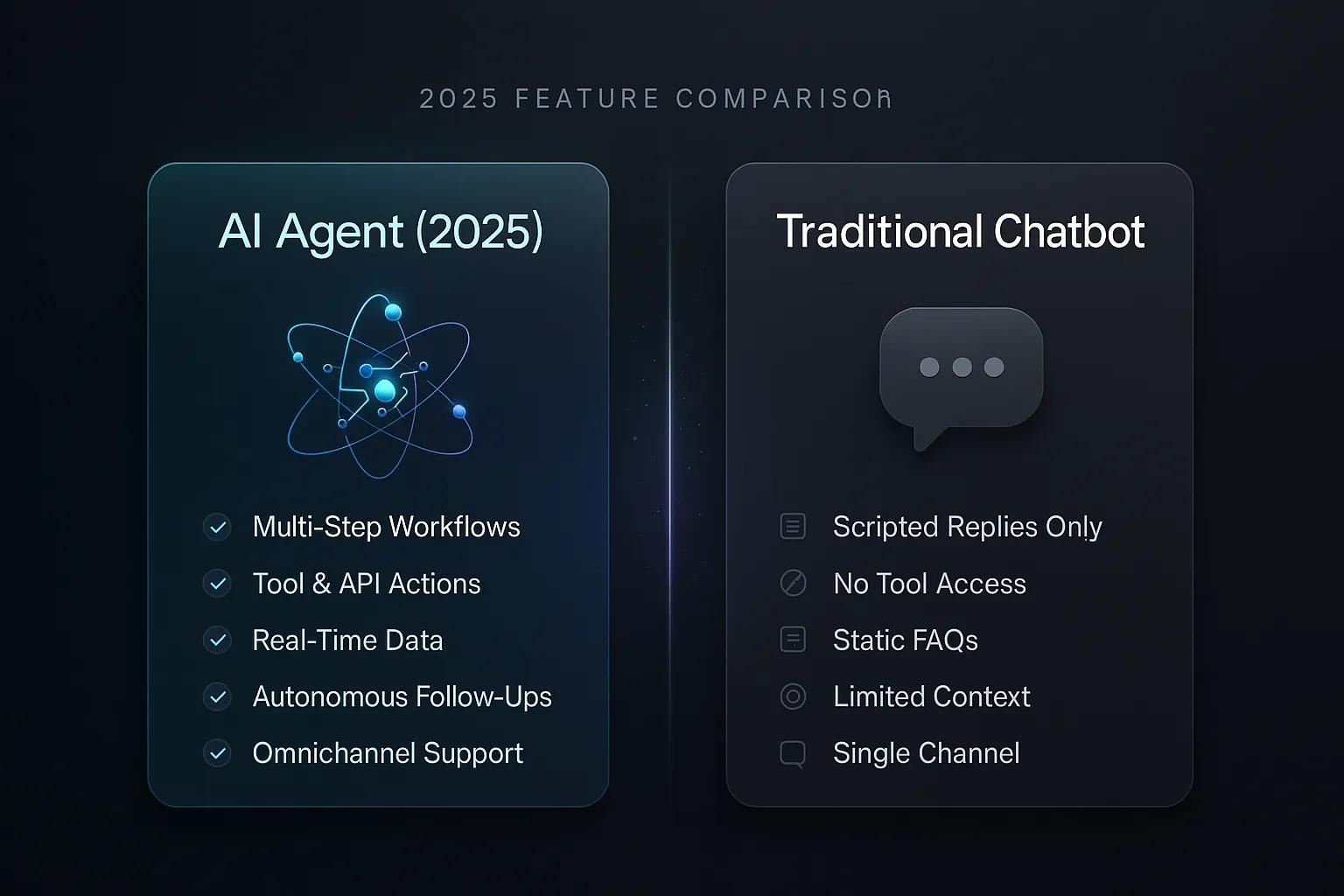
AI Agent vs Traditional Chatbot: 2026 Feature Comparison
It's 11 PM on a Tuesday. A customer reports a damaged package through your support channel. Your traditional chatbot politely apologizes and provides a link to...