
AI Chatbots for Small Business: Complete Implementation Guide
Turn 24/7 Customer Support Into Your Competitive Advantage

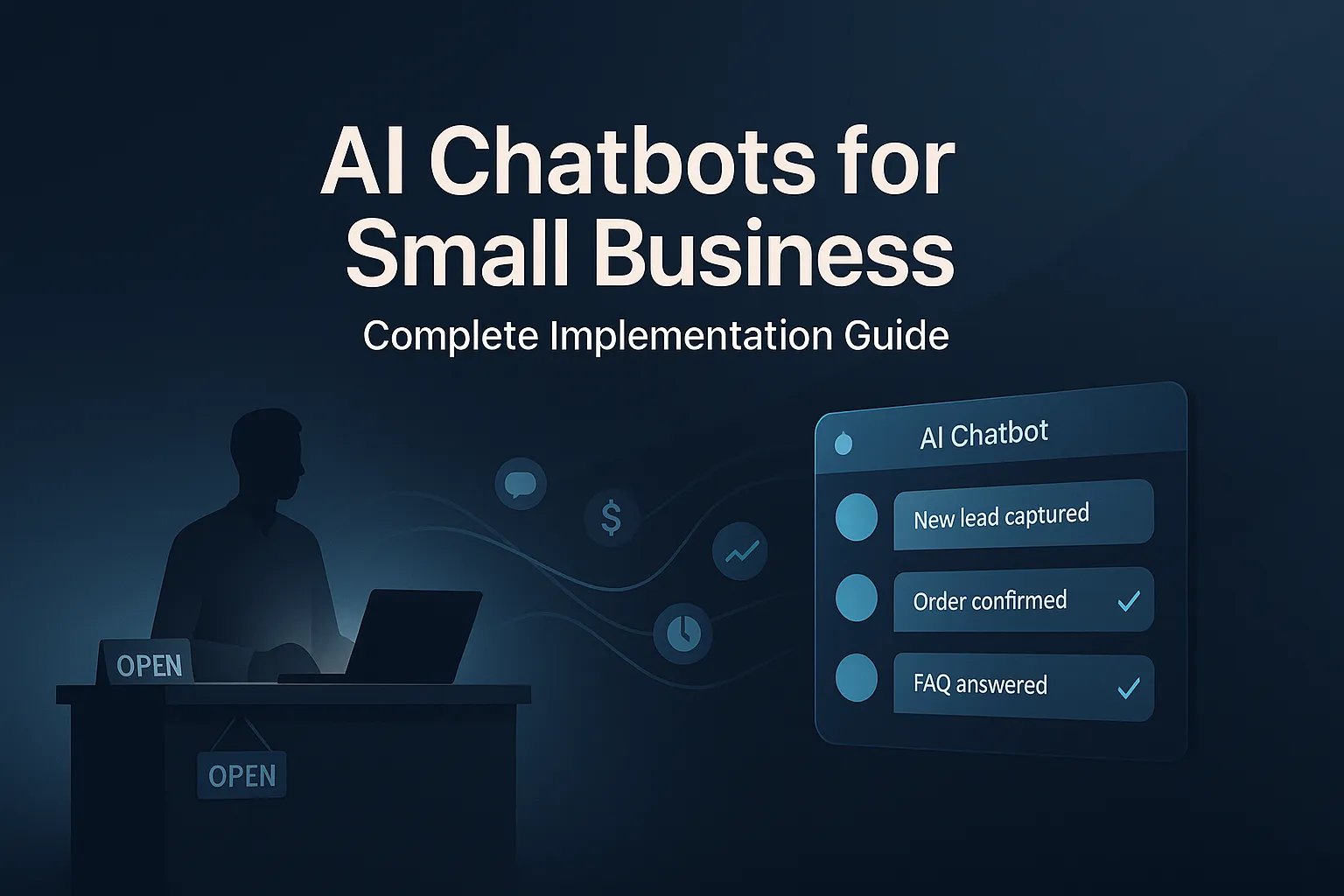
It's 2:47 AM. A potential customer lands on your website, ready to book your service. But there's nobody there to answer. By morning, they've moved on to your competitor.
This happens thousands of times daily for small businesses. The good news? It's completely avoidable.
AI chatbots have moved from "nice to have" to business necessity in 2025. The global chatbot market hit $15.6 billion in 2024 and is projected to nearly triple to $46.6 billion by 2029. But here's what matters: chatbots save businesses up to 2.5 billion working hours annually and deliver an average ROI of 1,275%.
In this guide, you'll learn exactly how to implement AI chatbots in your small business based on real implementations across a range of industries. We'll cover actual costs, implementation timelines, common pitfalls, and how to measure real ROI.
What Are AI Chatbots? (Moving Beyond the Hype)
An AI chatbot is software that uses artificial intelligence to have text-based conversations with your customers, handle common questions, collect information, and complete tasks, all without human intervention.
The critical difference in 2025: rule-based chatbots vs. AI-powered chatbots.
Rule-based chatbots follow decision trees. "If customer says X, respond with Y." They're predictable and limited. Think of those frustrating phone menus where nothing quite fits your question.
AI-powered chatbots using large language models like GPT-4 or Claude actually understand context, remember conversation history, and adapt their responses. They handle variations in how people phrase questions and provide relevant answers even when the query doesn't match a pre-programmed script.
What AI Chatbots CAN and CANNOT Do
What they CAN do in 2025:
- ✅ Answer complex questions using your business knowledge base
- ✅ Qualify leads by asking smart follow-up questions
- ✅ Schedule appointments across multiple calendars
- ✅ Process orders and payments securely
- ✅ Escalate to humans when they don't know something
- ✅ Operate in multiple languages simultaneously
What they CANNOT do:
- ❌ Replace human empathy in emotionally charged situations
- ❌ Handle every edge case perfectly from day one
- ❌ Make complex judgment calls requiring business context
- ❌ Understand highly technical jargon without training
The key insight from our implementations: chatbots handle about 70% of routine inquiries effectively, freeing your team for the complex 30% that needs human expertise.
Why Small Businesses Need AI Chatbots Now
96.5% of consumers say fast response is important when dealing with customer service. More revealing: 60% of customers define "immediate" as within 10 minutes.
Unless you're staffing 24/7 support, you're missing opportunities.
The After-Hours Opportunity
Our restaurant client missed 23 phone calls nightly after closing at 10 PM. After implementing a chatbot, it handled 89% of those inquiries, converting 67% into actual reservations. That's 14 additional bookings per week, $72,800 annually in revenue that was previously lost.
Customer Service Cost Reduction
IBM estimates chatbots cut customer service costs by up to 30%. For a small business spending $3,000 monthly on support, that's $10,800 saved annually.
But the bigger impact is capacity expansion. 82% of customers prefer chatbots over waiting, not because bots are better, but because they're instant.
Scalability Without Hiring
One customer or one hundred at once, the cost is identical. 75% of customer service reps reported record-high ticket volumes in 2024. Chatbots handled that surge without overtime, burnout, or new hires.
Real Costs: What AI Chatbots Actually Cost
Let's talk real numbers, no "contact us for pricing."
Setup and Monthly Costs
DIY Platforms: $0 to $500/month
Platforms like Tidio or Chatbot.com offer pre-built solutions. Free tiers give you 50-100 conversations monthly with basic features. Small business tiers run $30-$150 monthly for 1,000-5,000 conversations. Pro tiers cost $200-$500 monthly for unlimited conversations plus integrations.
Reality check: These work well for simple FAQ answering and basic lead capture. They struggle with complex, multi-step processes.
Professional Implementation: $1,500 to $8,000 setup
This includes custom conversation flows designed for your business, integration with your CRM and calendar, training on your knowledge base, testing and optimization, and complete documentation. Monthly costs run $100-$400 for platform and API fees.
Timeline: 2-6 weeks depending on complexity.
Custom AI Agents: $3,000 to $15,000+ setup
Full custom development with multi-channel deployment, complex business logic, custom AI training, and advanced analytics. Monthly costs run $500-$1,500+.
Timeline: 6-12 weeks.
Our typical implementation for small businesses runs $4,500-$7,500 for restaurants and professional services, $8,000-$12,000 for e-commerce and multi-location businesses.
Ongoing Operational Costs
API Costs: If you're using GPT-4 or Claude, expect $50-$300 monthly depending on conversation volume. This is the variable cost most businesses underestimate.
Real example: Our restaurant AI agent AEDAN initially cost $427/month in API fees for 2,000 conversations. We were making excessive database queries on every message. We restructured to batch queries and reduced costs to $143/month, a 67% reduction through better engineering.
Maintenance: Budget $100-$300 monthly for monitoring logs, updating responses, and optimization.
ROI Calculation
Here's our typical client example:
Monthly Costs:
- Platform: $150
- API: $200
- Maintenance: $200
- Total: $550
Monthly Value:
- Customer service time saved (40 hours × $25): $1,000
- After-hours leads (20 leads × $100 × 30% close rate): $600
- Reduced support tickets (150 × $8): $1,200
- Total value: $2,800
Net Monthly Benefit: $2,250
Annual ROI: 410%
Most small businesses break even in 2-4 months. After that, it's pure profit.
Implementation: The 5-Phase Process
Here's exactly how we implement chatbots, refined over dozens of deployments.
Phase 1: Strategy and Planning (Week 1-2)
Don't start with "we want a chatbot." Start with "we want to reduce time spent answering 'what are your hours' by 90%."
Define specific use cases:
- What tasks will the chatbot handle?
- What should never go to the bot?
- What's the primary goal, lead generation, cost reduction, or customer satisfaction?
Map customer touchpoints:
- Where do customers interact with you? Website, phone, social media, email?
- Which should the chatbot handle first?
Identify integrations:
- What systems need to connect? CRM, calendar, email marketing, payment processing?
- Each integration adds complexity, prioritize ruthlessly
Set measurable KPIs:
- Target 70%+ conversation completion rate
- Track lead conversion before vs. after
- Aim for 30-50% support ticket reduction
- Maintain 80%+ customer satisfaction
Phase 2: Design and Training (Week 2-4)
Conversation flow design: Good chatbot conversations feel natural, not like interrogations.
Bad design:
- "What is your name?"
- "What is your email?"
- "What is your phone number?"
Good design:
- "Hi! I'm here to help you find the perfect kitchen remodel solution. What's the main thing you'd like to accomplish?"
- [User responds]
- "Great goals! Let me connect you with one of our design specialists. What's the best email to send some initial ideas to?"
Brand voice integration: Your chatbot should sound like your company. Document your tone, language style, and personality guidelines.
Training data collection: Gather your FAQ documents, customer service ticket history (top 50 questions), product documentation, and company policies. Format as Q&A pairs.
Edge case planning: What happens when the bot doesn't know? Design escalation workflows that capture the question, offer human connection, and never fake an answer.
Phase 3: Technical Implementation (Week 4-6)
Platform selection: Choose based on your needs and technical comfort:
- DIY platforms for simple use cases
- Low-code platforms for most small businesses
- Custom development for complex workflows or multiple integrations
System integration: Connect to your:
- CRM to auto-create contacts
- Calendar for appointment booking
- Email marketing for nurture sequences
- Payment processing for orders
Security: Implement GDPR and CCPA compliance, encrypt all data, set clear data retention policies (we recommend 90 days for conversation logs), and use PII detection.
Testing: Run 100+ test conversations before launch including happy paths, edge cases, integration points, and error handling.
Phase 4: Launch and Optimization (Week 6-8)
Soft launch strategy:
- Week 1: 10% of traffic
- Week 2: 30% if metrics look good
- Week 3: 60%
- Week 4: 100% with human fallback always available
A/B testing: Test different opening messages, question order, tone, and call-to-action phrasing. Simple language wins, we saw 23% better conversion with "Where should I send these details?" vs. "What email can I send this information to?"
Monitor daily: Track completion rate, escalation rate, satisfaction ratings, API costs, and error logs.
Phase 5: Ongoing Maintenance
Monthly reviews: Check total conversations, completion rate, satisfaction score, cost per conversation, and business outcomes. Compare to baseline.
Log analysis: Spend 1-2 hours monthly reading logs. Are people asking questions the bot can't answer? Is the tone appropriate? Are people getting frustrated?
Updates: Add new product info, policy changes, seasonal content, and pricing updates monthly.
After 3 months, you'll see clear optimization opportunities. The bot tells you what customers actually want.
Three Real Case Studies
Case Study 1: Restaurant, 89% After-Hours Conversion
Business: 85-seat family restaurant, $1.2M annual revenue
Challenge:
- Missing 15-30 daily calls during rush
- 23 missed calls nightly after closing
- Staff overwhelmed by repetitive questions
Solution: Custom chatbot with menu access, reservation system integrated with POS, FAQ responses, SMS confirmations
Costs: $5,200 setup, $185 monthly
Results (6 months):
- 1,847 conversations handled
- 89% after-hours conversion rate (14 bookings/week)
- 67% in-hours calls redirected to bot
- 4.7/5 customer satisfaction
- $72,800 additional annual revenue
ROI: 980% first year
Case Study 2: HVAC Contractor, Lead Cost Reduced 62%
Business: 8 technicians, $2.8M annual revenue
Challenge:
- Office manager overwhelmed
- Many tire-kickers
- Missed evening/weekend opportunities
- $47 cost per lead from Google Ads
Solution: Lead qualification chatbot with budget assessment, project type identification, urgency level, calendar integration
Costs: $4,800 setup, $210 monthly
Results (12 months):
- 3,241 visitors engaged
- 412 qualified leads (12.7% conversion vs. 2.3% before)
- 178 appointments booked directly
- 1,840 unqualified inquiries filtered out
- $17.75 cost per lead (down from $47)
- 62% leads came outside business hours
- ~$220,000 incremental revenue
ROI: 3,004% first year
Case Study 3: Medical Practice, 40% No-Show Reduction
Business: Multi-physician practice, 3 doctors, 2 NPs, 16,000 patients
Challenge:
- 200+ daily calls
- 30% just scheduling
- Incomplete intake forms
- 12% no-show rate ($34K annual cost)
- Staff burnout
Solution: Comprehensive chatbot with appointment scheduling, rescheduling, intake forms, insurance verification, automated reminders, EHR integration
Costs: $12,400 setup (HIPAA-compliant), $380 monthly
Results (6 months):
- 4,289 interactions handled
- 76% scheduling completed without staff
- 91% rescheduling handled by bot
- No-show rate dropped to 7.2% (40% reduction)
- Front desk calls reduced 34%
- Intake forms 95% complete (up from 67%)
- 91% patient satisfaction
ROI: 368% first year
Common Pitfalls to Avoid
Over-promising capabilities: Don't market it as "AI that handles everything." Set realistic expectations and make human escalation easy.
Poor escalation strategy: Add a prominent "Talk to a human" button on every screen. Don't make people navigate a maze.
Ignoring brand voice: Generic templates don't work. Your bot should sound like your company, warm and professional for luxury brands, friendly and casual for creative agencies.
No real customer testing: Beta test with 10-20 real customers before full launch. They'll phrase questions in ways you never anticipated.
Set-it-and-forget-it: Schedule monthly 30-minute reviews to update information, review logs, and optimize flows.
Cost structure misunderstanding: Monitor API costs weekly during the first month. Batch operations and cache data to avoid expensive per-query charges. Our AEDAN optimization saved 67% by restructuring database queries.
Choosing the Right Platform
Platform Comparison
- DIY platforms (Tidio, Chatbot.com), 1-7 day setup, $0-$500/month. Best for simple FAQs and basic lead capture.
- Professional platforms (Voiceflow, Landbot, Custom), 2-6 week setup, $1,500-$8,000 plus $100-$400/month ongoing. Best for growing businesses with standard workflows.
- Custom AI Agents, 6-12 week build, $10,000+ upfront plus $500-$1,500+/month ongoing. Best for complex logic and unique requirements.
Decision factors:
- Number of integrations needed (0-1 = DIY, 2-3 = Professional, 4+ = Custom)
- Monthly conversation volume
- Brand customization importance
- Budget
- Technical resources available
Key Performance Metrics
Track these KPIs to measure success:
Conversation Initiation Rate: Target 10-30% of website visitors engaging with the bot
Conversation Completion Rate: Target 60-80% of conversations reaching desired outcome
Customer Satisfaction: Target 80%+ positive responses to "Was this helpful?"
Lead Conversion Rate: Target 8-15% for cold traffic, 20-40% for warm traffic
Cost Per Lead: Target $5-25 depending on industry. Compare to Google Ads ($25-75) and Facebook Ads ($15-45)
Support Ticket Deflection: Target 40-70% of inquiries handled without human intervention
Time to First Response: Target under 10 seconds (vs. 47 seconds for human live chat)
Most of our implementations achieve these benchmarks within 3 months of launch and optimization.
The Future of AI Chatbots
Voice integration: 87% of households have voice assistants. Voice-enabled business chatbots become mainstream 2025-2027. Phone calls answered by increasingly human-sounding AI.
Multi-language capabilities: GPT-4 and Claude understand 50+ languages well. One of our contractor clients added Spanish support for $800, now 23% of leads come from Spanish-speaking customers they couldn't serve before.
Advanced personalization: Chatbots will remember every past interaction, reference previous purchases, adjust tone based on sentiment, and proactively offer help based on browsing behavior.
Predictive customer service: Instead of waiting for problems, fix them before customers notice. "Your order shipped yesterday. Based on past deliveries to your area, it should arrive Thursday. Want tracking updates?"
What won't change: Humans still handle complex situations requiring emotional intelligence and nuanced judgment. 86% of leaders say AI helps scale operations without replacing staff. The hybrid model of AI for routine tasks and humans for complex interactions will dominate.
Getting Started: Your Next Steps
Three Paths Forward
Path 1: DIY Implementation (Budget Under $500/month)
Best for simple use cases and small budgets. Choose Tidio or Chatbot.com, sign up for free trial, define 1-3 specific use cases, build simple flow with 10-15 questions, test with 5 real customers, launch to 25% of traffic.
Timeline: 3-7 days
Path 2: Professional Implementation (Budget $5,000-$10,000)
Best for growing businesses with custom needs. Work with experts like Gaazzeebo for faster deployment (2-4 weeks vs. 2-3 months DIY), better conversation design, integration expertise, ongoing optimization, and proven templates.
Timeline: 3-6 weeks from contract to launch
Path 3: Test First, Commit Later (No Budget Yet)
Try free tier platforms, build minimum viable bot with 5-10 questions, run for 30 days, measure engagement and results, calculate potential ROI. This costs $0 but provides real data for decisions.
Quick Self-Assessment
You need a chatbot if:
- You get repetitive questions via phone, email, or DMs
- You miss opportunities outside business hours
- Your team spends 5+ hours weekly on FAQs
- You lose leads due to slow response time
If you answered yes to 2 or more, a chatbot will likely deliver positive ROI.
Common Final Concerns
"What if customers hate bots?" They don't hate bots, they hate bad bots. 82% prefer chatbots over waiting. Make human escalation easy and you're fine.
"How long until results?" Plan for 60-90 days to full value realization. Week 1 is testing, weeks 2-4 are optimization, month 2 shows ROI, month 3+ is fully optimized with clear ROI.
"What if it doesn't work for our industry?" We've implemented chatbots across a range of industries. The fundamentals are universal, questions get asked, answers get given, actions get taken. If you serve customers, you can benefit.
Ready to Implement?
Gaazzeebo has implemented AI chatbots for businesses across a range of industries. We don't use templates or promise magic. We build chatbots that deliver measurable ROI within 90 days.
What makes us different:
- ✅ Real implementation experience (not theory)
- ✅ Transparent pricing (you know costs upfront)
- ✅ Technical expertise (we optimize costs like with AEDAN)
- ✅ Strategic approach (business tools, not tech toys)
- ✅ Ongoing support (we don't disappear after launch)
Three Actions You Can Take Today
1. Audit missed opportunities Track how many inquiries you miss this week outside business hours. That's your baseline.
2. Map repetitive questions Ask your team: "What questions do we answer 10+ times per week?" That's your chatbot content.
3. Get your free consultation Talk to someone who has implemented dozens of these. Get a custom analysis for your specific situation.
Schedule your free AI chatbot consultation →
The investment in AI chatbots isn't optional anymore. The only question: do you implement thoughtfully with clear strategy, or scramble to catch up later?
Contact Gaazzeebo:
- Website: gaazzeebo.net
- Email: carter@gaazzeebo.net
- Phone: (813) 444-3798
Sources and Further Reading
This guide synthesized research from 30+ authoritative sources on AI chatbots, customer service statistics, and implementation best practices:
- BigSur AI. (2025). "27 AI Chatbot Statistics for Businesses in 2025." https://bigsur.ai/blog/ai-chatbot-statistics
- Tidio. (2024). "80+ Chatbot Statistics & Trends in 2025." https://www.tidio.com/blog/chatbot-statistics/
- Fullview. (2025). "100+ AI Chatbot Statistics and Trends in 2025." https://www.fullview.io/blog/ai-chatbot-statistics
- G2. (2025). "58 Key Chatbot Statistics for 2025." https://learn.g2.com/chatbot-statistics
- Zoho SalesIQ. (2025). "15+ Chatbot Statistics to Know in 2025." https://www.zoho.com/salesiq/chatbot/statistics.html
- HubSpot. (2025). "70+ customer service statistics to know in 2025." https://blog.hubspot.com/service/customer-service-stats
- Ringover. (2025). "Customer Service Statistics: 2025 Report." https://www.ringover.com/blog/customer-service-statistics
- WotNot. (2025). "Chatbot Pricing: How Much Does a Chatbot Cost in 2025?" https://wotnot.io/blog/chatbot-pricing
- Sobot. (2025). "How Much Does Chatbot Cost for Businesses This Year." https://www.sobot.io/article/how-much-does-chatbot-cost-2025-average-business-pricing/
About Gaazzeebo: Tampa-based technology company specializing in custom websites, mobile applications, and AI automation solutions. Serving clients since 2024.
See What This Could Save Your Business
Nine questions, no login. See what manual work costs you across every location, and which three fixes pay back first.
Score my operationsSee where your locations standFree 30-minute assessment. No commitment required.
Related Articles
AI Implementation for SMBs: Real Costs, Real Results
Here's something nobody talks about enough: 68% of small businesses with 10-100 employees are now using AI regularly. That number jumped from 48% in just six...
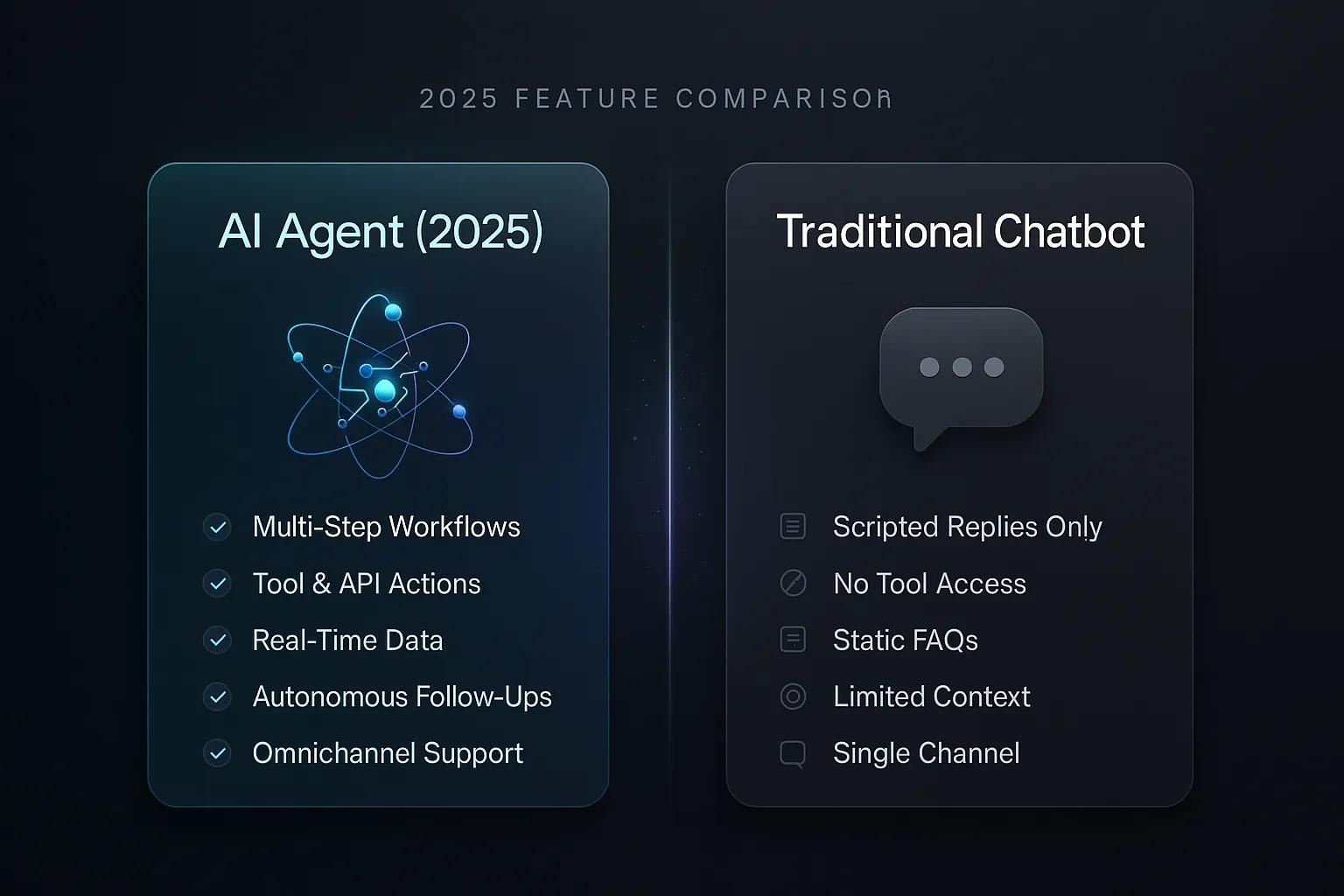
AI Agent vs Traditional Chatbot: 2026 Feature Comparison
It's 11 PM on a Tuesday. A customer reports a damaged package through your support channel. Your traditional chatbot politely apologizes and provides a link to...

What is Agentic AI? The Complete Business Guide for 2026
The chatbot era is over. Not because chatbots failed; they were useful for what they were designed to do. But in 2026, businesses are demanding more than...