
Zapier vs Custom Automation: The Complete 2026 Comparison Guide
Real Cost Data and Decision Framework for Scaling Your Business Automation

Here's a scenario we see all the time: Sarah runs operations for a growing property management company. She started with a few simple Zapier workflows, new tenant applications triggering welcome emails, maintenance requests creating tickets in their system. Simple stuff. Six months later, her Zapier bill hit $2,400 per month. She called us asking if there was a better way.
Spoiler: Her custom solution now costs $800 per month and does twice as much.
But here's the thing most automation consultants won't tell you: custom isn't always the answer. Sometimes Zapier is exactly what you need. We've built both Zapier workflows and custom automation solutions across a range of industries, and the "right" choice isn't about which tool is better, it's about which fits your specific situation.
This guide breaks down the real costs, scalability limits, and decision frameworks you need. No vendor bias, no fluff. Just the data.
Understanding the Automation Landscape
The automation market has exploded. Gartner estimates the robotic process automation market alone will reach $6.5 billion by 2025, with the broader automation market growing at 23.1% annually.
The no-code revolution has democratized automation. What once required a six-figure development budget and a team of engineers can now be built by a savvy operations manager in an afternoon. That's incredible.
But here's what the no-code platforms don't tell you in their marketing: there's a ceiling. And when you hit it, you hit it hard. Task limits, execution delays, escalating costs, and complexity walls that turn your "simple" automation into a maintenance nightmare.
The question isn't whether to automate, it's how. And for businesses processing more than a few thousand tasks per month, this decision has real financial consequences.
Zapier: The Deep Dive
What Zapier Actually Does Best
Let's start with what Zapier genuinely excels at. We use it ourselves for certain workflows, and there's a reason it's the market leader with over 6 million users.
Speed to implementation is Zapier's superpower. You can build a functional workflow in 30 minutes. No coding required. Connect Gmail to Slack, Google Sheets to Trello, Shopify to Mailchimp, the platform supports over 6,000 apps with pre-built integrations.
The visual workflow builder makes sense. If-then logic is intuitive. You can hand it off to non-technical team members. For companies without dedicated developers, this is huge.
The Real Pricing Breakdown
Here's where things get interesting. Zapier's pricing looks reasonable at first glance, but the economics change dramatically with scale.
Zapier Pricing (as of November 2025):
- Free: 100 tasks/month, single-step Zaps only
- Starter: $29.99/month for 750 tasks
- Professional: $73.50/month for 2,000 tasks
- Team: $598.50/month for 50,000 tasks
- Company: $1,198.50/month for 100,000 tasks
Cost per task:
- Starter: $0.04 per task
- Professional: $0.037 per task
- Team: $0.012 per task
- Company: $0.012 per task
Looks like it gets cheaper at scale, right? But here's what actually happens. Most businesses don't have one simple workflow. You have dozens. Each step in a multi-step Zap counts as a task. That three-step workflow you built? That's three tasks every time it runs.
We had a client running 30,000 "tasks" per month on Zapier. Sounds like they fit in the Team plan at $598.50. Except when we audited their workflows, they had:
- 12 different Zaps
- Average of 4 steps per Zap
- 7,500 actual triggers per month
- But 30,000 tasks consumed (7,500 × 4 steps)
And they were constantly hitting premium app fees, Salesforce integration, QuickBooks, their custom CRM required webhook premium features. Their real monthly cost was closer to $850.
Scalability: Where Zapier Hits the Wall
This is critical if you're evaluating long-term automation strategy. Zapier has architectural limitations that don't show up until you're already invested:
1. Polling Intervals
Zapier checks for new data every 1-15 minutes depending on your plan. Free and Starter plans poll every 15 minutes. Professional and up get it down to 2-5 minutes for most apps.
What this means in practice: Your "automated" system has a 2-15 minute delay. For most businesses, that's fine. For time-sensitive operations, customer service, inventory management, fraud detection, it's a deal-breaker.
2. No Direct Database Access
Zapier can't query your database directly. You need an intermediary, an API, a webhook, a CSV export. This creates fragile connection points and limits what's possible.
We worked with a restaurant group that wanted to automate vendor ordering based on inventory levels. With Zapier, they'd need to:
- Export inventory from their POS
- Upload to Google Sheets
- Have Zapier monitor the sheet
- Process orders through email
With a custom solution, we connected directly to their POS database, checked inventory in real-time, and placed orders automatically with their vendors' APIs. One step instead of four, zero manual intervention.
3. Limited Error Handling
When a Zap fails, you get an error notification. That's it. No automatic retries with exponential backoff, no intelligent error recovery, no partial success handling. In our experience with clients, failed Zaps sit unnoticed for days, and when someone finally catches it, you're dealing with hundreds of missed processes.
4. Sequential Processing Only
Zapier processes tasks one at a time, in order. You cannot run parallel operations. If you need to update 100 customer records simultaneously, you're waiting for 100 sequential API calls. That's fine for small volumes. At scale, it's painfully slow.
5. The Complexity Tax
Here's something nobody talks about: as your Zapier account grows, it becomes harder to maintain. You've got 40 Zaps spread across three team members' accounts. Documentation is scattered. Someone leaves the company and you realize half your critical workflows were in their personal account. We've seen businesses spend 5-10 hours per week just managing and troubleshooting Zaps.
Hidden Costs Nobody Mentions
Beyond the monthly subscription, Zapier has costs that don't show up in the pricing calculator:
Premium Apps: Many enterprise tools (Salesforce, HubSpot premium features, custom webhooks) require higher-tier plans or add-on costs.
Team Seats: Additional users cost $30-60/month each on higher plans.
Technical Support: The free tier gets community support only. Email support starts at Professional. Phone support is Company tier or above.
Maintenance Time: Based on our client data, teams spend an average of 3-6 hours per month troubleshooting broken Zaps, updating workflows, and managing task limits. At a $50/hour billing rate, that's $150-300 in hidden labor costs.
The Migration Cost: This is the big one. When you eventually outgrow Zapier (and if you're successful, you probably will), migrating to a custom solution means rebuilding everything from scratch. You've invested months or years in Zapier-specific configurations that can't be exported or reused.
Custom Solutions: The Deep Dive
What Custom Automation Actually Means
Let's be clear about what we're talking about. "Custom automation" doesn't mean building everything from scratch in raw Python. Modern custom solutions use frameworks, cloud services, and pre-built components, you're just not locked into Zapier's specific ecosystem.
Common approaches include:
Self-Hosted Alternatives: Tools like n8n (open-source Zapier alternative) give you Zapier-like visual workflows but running on your own infrastructure. You control the code, data, and execution environment.
Cloud Functions: AWS Lambda, Google Cloud Functions, and Azure Functions let you write small pieces of code that respond to events. Pay only for execution time (typically fractions of a cent per invocation).
Custom APIs: Built with Node.js, Python, or other languages, connecting your systems exactly how you need them to work.
Hybrid Approaches: Using tools like n8n for workflow orchestration but custom code for complex logic or integrations.
Real Development Costs (Full Transparency)
This is where the conversation usually gets awkward. Most development agencies don't want to give real numbers. We will, because transparency matters when you're making a decision this important.
Simple Custom Solution (2-4 weeks):
- Initial development: $3,000-$5,000
- Monthly hosting: $50-$100
- Annual maintenance: $600-$1,000 (roughly 20% of dev cost)
- Year 1 Total: $3,600-$6,200
- Year 2+ Annual: $1,200-$2,200
Examples: Basic data syncing between two systems, automated reporting, simple webhook integrations.
Medium Custom Solution (4-8 weeks):
- Initial development: $8,000-$15,000
- Monthly hosting: $150-$300
- Annual maintenance: $1,600-$3,000
- Year 1 Total: $9,800-$18,600
- Year 2+ Annual: $3,400-$6,600
Examples: Multi-system integrations, complex business logic, custom dashboards, real-time processing requirements.
Complex Custom Solution (8-16 weeks):
- Initial development: $20,000-$40,000
- Monthly hosting: $300-$500
- Annual maintenance: $4,000-$8,000
- Year 1 Total: $23,600-$46,000
- Year 2+ Annual: $7,600-$14,000
Examples: Enterprise-grade automation platforms, AI/ML integration, high-volume processing (100k+ tasks/month), complex compliance requirements, custom UIs.
What Custom Solutions Excel At
✅ Unlimited Task Processing: Once built, there's no per-task pricing. Process 100 tasks or 100,000, your cost doesn't change. This is the fundamental economic advantage at scale.
✅ Real-Time Execution: No polling intervals. Events trigger instantly. When a customer places an order, your system responds in milliseconds, not minutes.
✅ Complex Business Logic: If-then-else is fine until you need if-then-else-and-if-unless-except-when. Custom code handles arbitrarily complex decision trees.
✅ Direct Database Integration: Query your database directly. No CSV exports, no API middlemen, no fragile connection points.
✅ Parallel Processing: Need to update 1,000 records? Do it simultaneously, not sequentially. What takes Zapier 30 minutes can happen in 30 seconds.
✅ Custom Interfaces: Build dashboards, admin panels, or user interfaces tailored to your exact needs.
✅ Data Ownership: Your code, your servers (or your cloud account), your data. Complete control over security, compliance, and data residency requirements.
When Custom Makes Sense
This isn't a philosophical question. There are specific scenarios where custom automation becomes the obvious choice:
1. High Volume (10,000+ tasks/month)
At this scale, Zapier's economics don't work. You're spending $600-1,200/month on Zapier. A custom solution breaks even in 5-12 months and then saves you thousands annually.
2. Real-Time Requirements
If your business depends on sub-second response times, Zapier's polling architecture won't cut it. Customer-facing automation, time-sensitive alerting, inventory management, these need real-time triggers.
3. Sensitive Data
HIPAA compliance, PCI DSS, SOC 2, if you're handling regulated data, custom solutions give you complete control over data handling, encryption, and audit trails.
4. Complex Conditional Logic
When your workflow requires more than simple if-then statements, maintaining it in Zapier becomes a nightmare. Custom code is often clearer and more maintainable.
5. Unique Integrations
If you need to connect to a system without a Zapier integration, you're building custom webhooks anyway. At that point, why not just build the whole thing custom?
6. Long-Term ROI Matters
If you're planning to use these automations for 2+ years, the upfront investment in custom development pays off through lower ongoing costs and better performance.
The Real Cost Comparison: Three Scenarios
Let's put actual numbers to this with real scenarios we've encountered.
Scenario 1: Property Management Company (Sarah's Story)
Volume: 25,000 tasks/month across 15 different workflows
Zapier Approach:
- Team plan: $598.50/month
- Premium app add-ons: $150/month
- Additional team members: $150/month
- Total: $898.50/month = $10,782/year
Custom Approach:
- Development (6 weeks): $8,000
- Hosting: $200/month = $2,400/year
- Maintenance: $1,200/year
- Year 1 Total: $11,600
- Year 2+ Annual: $3,600/year
The Verdict: Custom wins starting Year 2. Over three years, Sarah saves $16,164 while getting faster execution and more reliable automation. Breakeven happens at 13 months.
Scenario 2: E-Commerce Store (Smaller Volume)
Volume: 3,000 tasks/month handling order processing, inventory updates, and customer communications
Zapier Approach:
- Professional plan: $73.50/month
- Total: $882/year
Custom Approach:
- Development (3 weeks): $4,000
- Hosting: $75/month = $900/year
- Maintenance: $800/year
- Year 1 Total: $5,700
- Year 2+ Annual: $1,700/year
The Verdict: Zapier wins short-term. Custom breaks even at 36 months. Unless you're planning significant growth, stick with Zapier.
But here's the interesting part: this client's volume grew 400% in 18 months. Their Zapier costs went from $73.50 to $598.50/month. If they'd built custom from the start, their costs would have stayed the same.
Scenario 3: SaaS Company (High Volume + Complexity)
Volume: 75,000+ tasks/month with complex multi-step workflows, real-time requirements, and custom reporting
Zapier Approach:
- Company plan: $1,198.50/month base
- Premium features and overages: $400/month
- Total: $1,598.50/month = $19,182/year
Custom Approach:
- Development (12 weeks): $25,000
- Hosting (auto-scaling): $400/month = $4,800/year
- Maintenance: $5,000/year
- Year 1 Total: $34,800
- Year 2+ Annual: $9,800/year
The Verdict: Custom wins decisively at this scale. Breakeven at 22 months. Over five years, saves $90,000+ while delivering better performance.
Plus, they can now process tasks in real-time (critical for their SLA), run complex analytics that weren't possible in Zapier, and scale infinitely without cost increases.
The Hybrid Approach: Why Not Both?
Here's a secret: you don't have to choose just one.
The smartest automation strategy we've seen uses Zapier for low-volume, low-complexity workflows and custom solutions for high-volume, mission-critical processes.
A Real Example:
Marketing agency with multiple automation needs:
- Zapier handles: New client onboarding emails, calendar scheduling, simple notification triggers (500 tasks/month, Professional plan at $73.50/month)
- Custom handles: Social media scheduling for many clients, analytics aggregation, automated reporting (50,000+ operations/month, $200/month hosting)
Total monthly cost: $273.50
If they'd done everything in Zapier: $1,000+/month
If they'd done everything custom: $500/month but 12 weeks of development time
The hybrid approach gave them the best of both worlds: quick wins with Zapier, economic efficiency with custom.
Migration Strategy
Most successful automation strategies follow this path:
- Phase 1: Start with Zapier. Validate workflows quickly. Understand what you actually need.
- Phase 2: Monitor costs and pain points. When you hit $300-500/month on Zapier, start planning.
- Phase 3: Identify your top 3-5 most expensive workflows (by task count). These are custom migration candidates.
- Phase 4: Build custom solutions for high-volume workflows. Keep Zapier for everything else.
- Phase 5: Gradually migrate remaining workflows as budget and priorities allow.
This staged approach minimizes risk, proves ROI before major investment, and maintains operational continuity.
Tools for the Hybrid Approach
n8n: Self-hosted, open-source Zapier alternative. Visual workflow builder but you control everything. Great middle ground.
Make (formerly Integromat): Another Zapier alternative with better pricing at scale and more advanced features.
Custom APIs + Zapier Webhooks: Build custom code for complex logic, use Zapier for simple orchestration and integrations. Best of both worlds for many scenarios.
Decision Framework: Your Automation Strategy Worksheet
Let's make this practical. Answer these questions about your business:
Volume Questions
1. How many automation tasks do you run monthly?
- Under 1,000: Zapier likely makes sense
- 1,000-10,000: Evaluate both options
- Over 10,000: Custom probably wins economically
Don't forget to project 6-12 months ahead. If you're growing fast, today's 2,000 tasks might be 10,000 in six months.
2. How many steps are in your typical workflow?
Remember: each step counts as a task in Zapier. A 5-step workflow consuming 2,000 triggers/month is actually 10,000 tasks.
Performance Questions
3. What's your required response time?
- Minutes acceptable: Zapier works
- Seconds required: Need custom
- Sub-second critical: Definitely custom
4. Can your processes tolerate occasional delays or failures?
- Yes, not critical: Zapier acceptable
- No, every process matters: Custom with proper error handling
Complexity Questions
5. How complex is your business logic?
- Simple if-then: Zapier excels here
- Multiple conditions and exceptions: Doable in Zapier but getting messy
- Complex decision trees or calculations: Custom is cleaner
6. Do you need custom reporting or dashboards?
- No, email notifications fine: Zapier works
- Yes, need visibility: Custom gives you purpose-built interfaces
Technical Questions
7. Does your team have technical resources?
- No developers: Zapier is more accessible
- Yes, have dev capacity: Custom becomes viable
- Can hire/outsource: Either option works
8. What integrations do you need?
- All have Zapier apps: Big advantage for Zapier
- Some custom systems: You'll need webhooks either way
- Mostly custom/legacy: Might as well build custom
Business Questions
9. What's your total automation budget?
- Under $2,000/year: Probably Zapier
- $2,000-10,000/year: Depends on volume and timeline
- Over $10,000/year: Custom likely offers better value
10. What's your ROI timeline?
- Need results immediately: Zapier's speed wins
- Can invest for 1-2 year payoff: Custom makes sense
- Building for 3+ years: Custom strongly advantaged
Security/Compliance Questions
11. What are your data security requirements?
- Standard business data: Zapier's security is solid
- Sensitive customer data: Extra evaluation needed
- Regulated data (HIPAA, PCI, etc.): Custom gives you complete control
12. Where can your data be processed?
- Anywhere is fine: No restrictions
- US-only or specific regions: Need to verify with Zapier or use custom
- On-premises required: Must be custom
Implementation Best Practices
Starting with Zapier
If you're going the Zapier route (at least initially), here's how to set yourself up for success:
✅ Document everything. Don't rely on Zapier's UI as your documentation. Maintain a spreadsheet with: workflow name, trigger, actions, purpose, task volume, and owner.
✅ Start simple. Resist the urge to build complex multi-step Zaps right away. Single-step automations are easier to debug and maintain.
✅ Monitor task usage weekly. Don't wait for the end of the month to discover you've blown past your limit.
✅ Plan your migration. Even if you don't think you'll outgrow Zapier, document your workflows in a way that makes migration easier later.
✅ Use naming conventions. When you have 40+ Zaps, finding the right one becomes a problem. Use a consistent naming scheme: [Department] - [Trigger App] → [Action App] - [Purpose].
Building Custom Solutions
If you're going custom, here's what matters:
✅ Start with your highest-volume workflows. Don't try to rebuild everything at once. Identify the 1-3 workflows consuming the most tasks and start there.
✅ Use infrastructure-as-code. Tools like Terraform or AWS CloudFormation let you version-control your infrastructure.
✅ Implement monitoring from day one. Custom code without monitoring is a time bomb. Use services like DataDog, New Relic, or simple cloud monitoring.
✅ Plan for maintenance. Industry standard is 15-20% of development cost annually. Build this into your budget.
✅ Document your architecture. Architecture diagrams, code comments, setup instructions, spend the time.
✅ Test in production-like environments. Subtle differences (API rate limits, data volumes, network configurations) will burn you.
What Most Consultants Won't Tell You
We've built over 50 automation systems for clients. Here's what we've learned that nobody wants to say out loud:
Neither option is set-it-and-forget-it. Whether you choose Zapier or custom, automation requires ongoing maintenance. APIs change, integrations break, business requirements evolve.
The migration is painful either way. Moving from Zapier to custom means rebuilding. But moving from one custom solution to another is also hard. Lock-in exists in different forms everywhere.
You'll probably need both eventually. Fast-growing companies almost always end up with a hybrid approach. Fighting this reality costs more than accepting it.
The real cost is organizational change. The hard part isn't the technology, it's getting your team to trust and use automated processes.
Your first automation attempt will be wrong. You won't fully understand your requirements until you've tried it. This is why Zapier's speed matters, it lets you learn faster.
The Bottom Line
Here's what actually matters: neither Zapier nor custom solutions are universally "better." They're tools with different strengths, weaknesses, and economics.
Choose Zapier when:
- ✅ You're under 5,000 tasks/month
- ✅ You need results this week, not this quarter
- ✅ Your workflows are relatively simple
- ✅ You don't have technical resources
- ✅ You're still figuring out what you need
Choose custom when:
- ✅ You're over 10,000 tasks/month
- ✅ You need real-time processing
- ✅ You have complex business logic
- ✅ ROI over 2+ years matters
- ✅ You have specific compliance requirements
Consider hybrid when:
- ✅ You have varied automation needs
- ✅ Some workflows are high-volume, others aren't
- ✅ You want to optimize costs without sacrificing flexibility
The decision ultimately comes down to your specific situation: volume, complexity, timeline, and resources.
What's Next?
If you're still unsure which approach fits your business, that's normal. Automation strategy isn't one-size-fits-all, and the "right" answer depends on factors specific to your operations, growth trajectory, and technical capabilities.
Here's what we recommend:
If you're just starting: Begin with Zapier. Learn what you actually need. Monitor your costs and pain points. Plan for graduation to custom when the economics justify it.
If you're hitting limits: Audit your current Zapier usage. Calculate your true cost per workflow. Identify your top 3 most expensive processes. Those are your custom migration candidates.
If you're building for scale: Consider custom from the start if you're confident in your requirements and volume projections. The upfront investment pays off faster than you think.
At Gaazzeebo, we've built both Zapier workflows and custom automation solutions across a range of industries. We're not religiously attached to either approach, we recommend what actually makes sense for your situation.
Want to evaluate your specific automation needs? We offer free automation audits where we analyze your current workflows, calculate real costs, and provide recommendations tailored to your business.
Score your automation in 12 questions →
Contact Gaazzeebo:
- Website: gaazzeebo.net
- Email: carter@gaazzeebo.net
- Phone: (813) 444-3798
Sources & References
- Gartner Research - Forecast: Robotic Process Automation Software Worldwide
- Zapier Official Pricing - https://zapier.com/pricing
- Zapier Help Documentation - Trigger Frequency
- Zapier App Directory - https://zapier.com/apps
- Zapier Company Information - https://zapier.com/about
- n8n Workflow Automation - https://n8n.io/
- Make Automation Platform - https://www.make.com/
- AWS Lambda Pricing - https://aws.amazon.com/lambda/pricing/
- Google Cloud Functions Pricing - https://cloud.google.com/functions/pricing
- Stack Overflow Developer Survey 2024
About Gaazzeebo: Tampa-based technology company specializing in custom automation, AI agents, custom software development, and business process optimization. Serving clients since 2024.
See What This Could Save Your Business
Nine questions, no login. See what manual work costs you across every location, and which three fixes pay back first.
Score my operationsSee where your locations standFree 30-minute assessment. No commitment required.
Related Articles

How Much Does AI Automation Cost in 2026?
If you've searched "how much does AI automation cost," you've probably found everything from "$20/month" to "millions of dollars", which doesn't exactly help...
AI Implementation for SMBs: Real Costs, Real Results
Here's something nobody talks about enough: 68% of small businesses with 10-100 employees are now using AI regularly. That number jumped from 48% in just six...
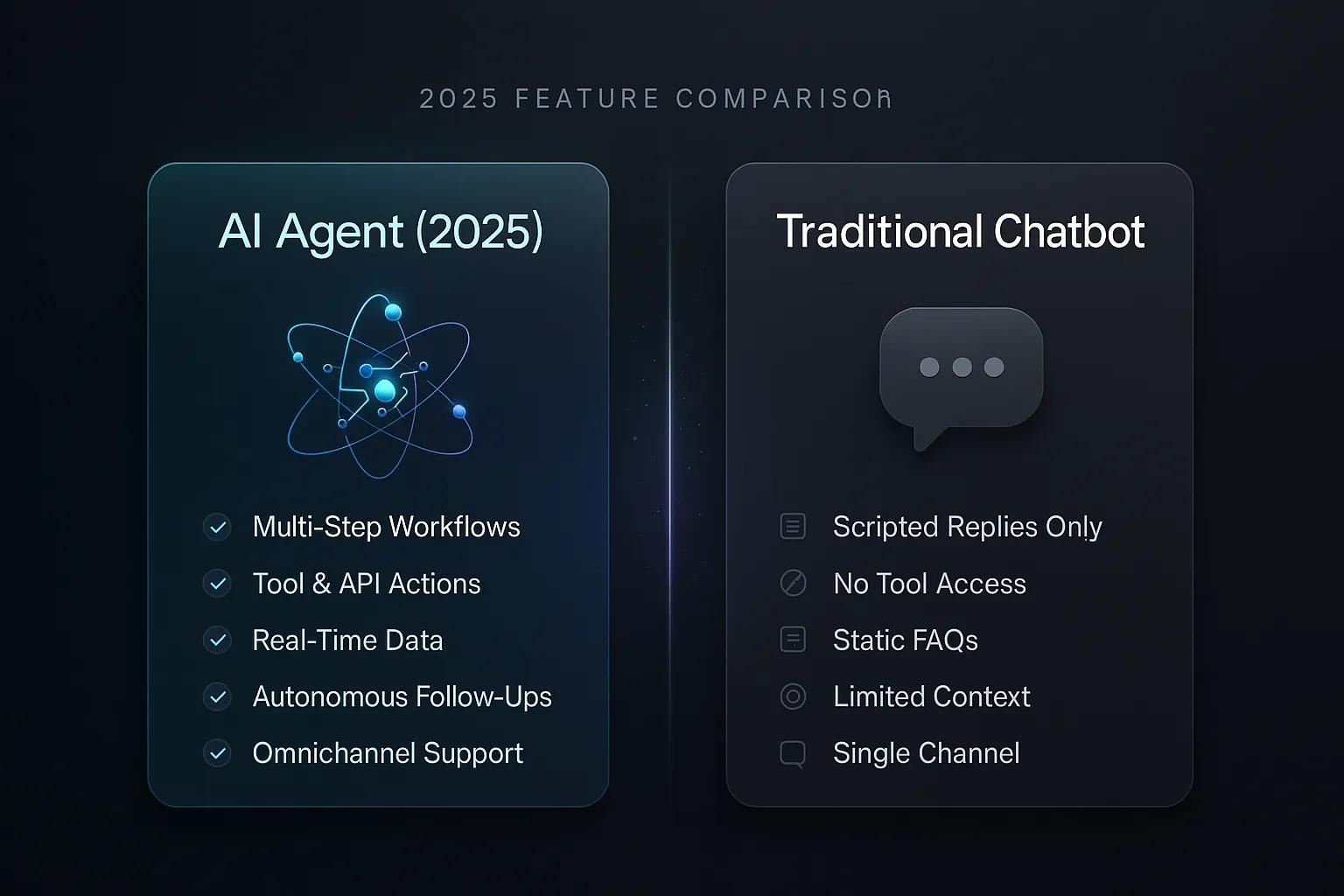
AI Agent vs Traditional Chatbot: 2026 Feature Comparison
It's 11 PM on a Tuesday. A customer reports a damaged package through your support channel. Your traditional chatbot politely apologizes and provides a link to...