
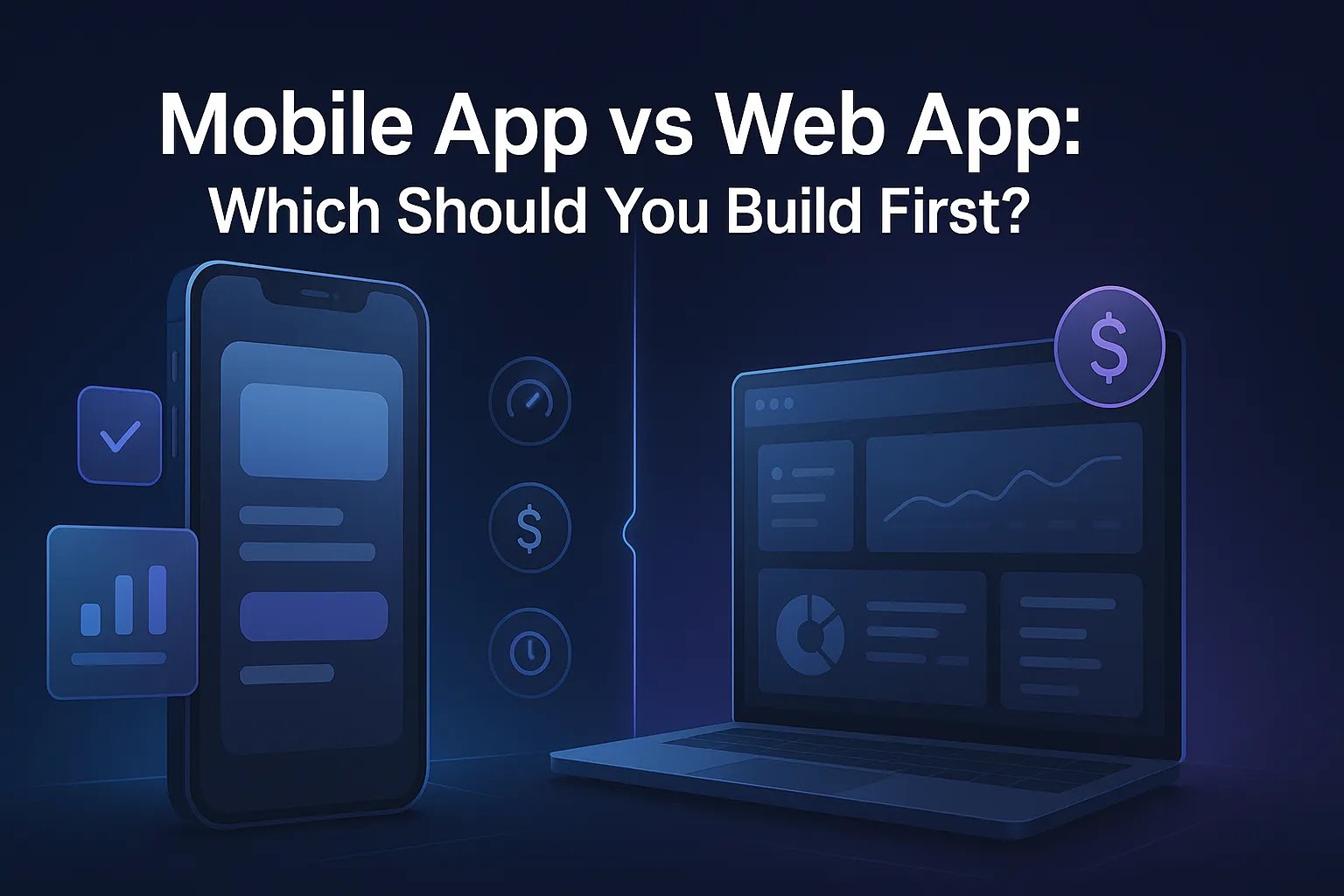
Mobile App vs Web App: Which Should You Build First?
The $75,000 Decision That Could Make or Break Your Launch

You've got $75,000 in your budget and six months until your next board meeting. Your team is ready to build. Your investors want to see traction. And everyone has an opinion about whether you should launch on mobile or web first.
Here's the truth nobody wants to tell you: most companies make this decision based on what feels right instead of what the data says. They build a native mobile app because that's what the big companies have. Or they launch a web app because it's faster. Then, six months and $100K later, they realize they chose wrong.
After building applications on both platforms, we've seen this pattern repeat itself enough times to know there's a better way. The decision between mobile and web isn't about preference or what's trendy, it's about unit economics, user behavior, and speed to validation.
In this guide, we're going to walk through the actual costs, the decision framework we use with our clients, and the hybrid strategy that most founders completely miss. By the end, you'll have a clear path forward based on your specific situation, not generic advice.
The Real Cost Breakdown Nobody Talks About
Let's start with what this actually costs, because most articles gloss over the numbers that matter: not just initial development, but the total cost of ownership.
Web Application Development
Initial development typically runs $30,000-$150,000 depending on complexity, with a timeline of 3-6 months for an MVP. A basic web app with user authentication, database integration, and core features sits around $50,000-$75,000. According to Clutch's 2024 App Development Cost Survey, the median cost for a custom web application is $67,500.
But here's what matters more: maintenance and iteration. Web apps cost approximately 15-20% of initial development annually for hosting, maintenance, and updates. That same $75,000 web app runs you about $11,000-$15,000 per year to keep running.
Native Mobile App Development (iOS + Android)
Building for both iOS and Android simultaneously runs $80,000-$300,000, with timelines stretching 6-12 months. Most mid-market companies end up in the $120,000-$180,000 range for a solid MVP on both platforms. GoodFirms' 2024 Developer Survey puts the median at $171,450 for dual-platform native development.
The annual maintenance is higher: 20-25% of initial development costs, plus you're dealing with two codebases. That $150,000 investment becomes $30,000-$37,500 annually. And every time Apple or Google releases a major OS update, you're potentially rebuilding features to stay compatible.
Progressive Web App (PWA)
This is the middle ground most companies ignore. PWAs run $40,000-$120,000 and take 3-5 months to build. They work across all devices but with app-like functionality. Maintenance costs are similar to standard web apps: 15-20% annually.
Here's the comparison that matters:
Development Timeline:
- Web app: 3-6 months to launch
- Native mobile: 6-12 months to launch both platforms
- PWA: 3-5 months to launch
Maintenance Costs (Annual):
- Web app: 15-20% of initial cost
- Native mobile: 20-25% of initial cost
- PWA: 15-20% of initial cost
Update Deployment:
- Web app: Instant, global updates
- Native mobile: 2-7 days for App Store approval, users must download
- PWA: Instant, automatic updates
Distribution Complexity:
- Web app: URL sharing, SEO discovery
- Native mobile: App Store approval process, ASO optimization
- PWA: Both URL sharing AND installable
The real kicker? According to App Annie's State of Mobile 2024 report, the average cost per install for a new app (with no reviews or brand recognition) through paid acquisition is $4.44 on iOS and $2.90 on Android. Compare that to web traffic where organic clicks from SEO cost you nothing after initial ranking, and paid clicks average $1-3 depending on your industry.
The Decision Framework: 5 Critical Factors
Forget the generic advice. Here's how we actually make this decision with our clients.
Factor 1: Where Your Users Already Live
This sounds obvious, but most founders skip this step. They assume "everyone's on mobile" without looking at their specific industry data.
B2B SaaS companies should start with web apps. Period. According to Gartner's 2024 Software Buying Behavior study, 73% of B2B software discovery and initial trials happen on desktop browsers. Think about how Slack, Notion, Monday.com, and Asana all launched: web-first, mobile later.
We worked with a Tampa-based property management company last year who insisted they needed a native mobile app for their maintenance tracking system. The reasoning? "Our technicians are always in the field." Six weeks into discovery, we pulled their analytics. 94% of work orders were being created and assigned by office staff on desktop computers. The field techs just needed to view and update tickets, something a mobile-responsive web app handled perfectly. We saved them $85,000 and three months by going web-first.
Consumer-focused products are trickier. Instagram, TikTok, and Snapchat went mobile-first because the phone camera is the product. But even in consumer, there are exceptions. Pinterest launched on web first and didn't release mobile apps until they had proof of concept.
According to SensorTower's 2024 data, social media apps see 87% of their engagement on mobile, but e-commerce apps split closer to 60% mobile, 40% desktop, especially for higher-ticket purchases.
Your litmus test: Open Google Analytics for your existing web presence (landing page, marketing site, whatever you have). Look at the device breakdown for users who convert. If 70%+ are on mobile, you have a strong signal. If it's 50/50 or desktop-heavy, web-first is usually safer.
Factor 2: Core Functionality Requirements
In 2024, the gap between what web and mobile can do has narrowed dramatically. But there are still hard lines.
You absolutely need native mobile if you require:
- ✅ Advanced camera features (RAW capture, portrait mode, AR overlays)
- ✅ Continuous background location tracking
- ✅ Deep integration with health data (HealthKit, Google Fit)
- ✅ Bluetooth Low Energy for IoT device connection
- ✅ Offline-first functionality with complex sync logic
- ✅ Platform-specific payment systems (Apple Pay/Google Pay integration)
Modern web apps (especially PWAs) can now handle:
- ✅ Basic camera and photo uploads
- ✅ Push notifications (yes, even on iOS now as of iOS 16.4)
- ✅ Geolocation (with user permission)
- ✅ Offline functionality via Service Workers
- ✅ Payment processing (Stripe, Square web checkouts)
- ✅ Real-time features (WebRTC, WebSockets)
- ✅ File uploads and downloads
- ✅ Background sync for form submissions
The game-changer is Progressive Web Apps. According to Google's web.dev case studies, companies like Starbucks saw a 2x increase in daily active users when they launched their PWA compared to their previous mobile web experience. Twitter Lite (their PWA) reduced data consumption by 70% and increased pages per session by 65%.
Real technical example: We built a field service application for a commercial HVAC company. They needed technicians to access job details offline (in basements with no signal), take photos of equipment, and submit reports. Three years ago, that would've been native-only. Today, we built it as a PWA using Service Workers for offline caching and the Cache API for photo storage. Total development cost: $62,000. The native equivalent quote they got? $145,000.
The decision matrix:
- If you need device features exclusively available to native apps → Native mobile
- If you need basic device features + web accessibility → PWA
- If you're primarily delivering information and tools → Web app
Factor 3: Go-to-Market Speed and Iteration
Speed to first user is rarely discussed, but it should dominate your decision for early-stage products.
Web deployment reality: You can push updates to production in minutes. We built an MVP for a restaurant group's internal ordering system. Launch to first transaction? Eleven days. We iterated daily based on feedback. By day 30, we'd deployed 47 updates. The system was unrecognizable from day one, in a good way.
Mobile app reality: Apple's App Store review takes 2-7 days on average. Google Play is faster (1-3 days typically), but you're still at their mercy. Worse, even after approval, users have to manually download the update.
According to Statista's 2024 Mobile App Update data, only 48% of users have auto-updates enabled on iOS, and 52% on Android. That means your carefully designed fix or new feature sits unused for weeks while adoption slowly climbs.
Last month, a client in the orthodontics space launched their patient communication app. They discovered a critical bug in the appointment booking flow three days after launch. The fix took us four hours to code. It took Apple six days to approve. That's six days of broken first-time user experience for every new download.
The iteration speed difference compounds over time. A startup needs to run dozens of experiments to find product-market fit. Every 5-day approval delay is another week of stagnant learning. For context, Y Combinator's guidance is to ship new features weekly in the early days. That's borderline impossible with mobile-first.
If you're in validation mode (pre-product-market fit), web wins on iteration speed. If you're in scale mode with a proven concept, the mobile app store friction matters less.
Factor 4: Distribution and Discovery Channels
This is where most founders get it backwards.
App Store Organic Discovery: According to Apple's own 2024 App Store data, 65% of downloads come from direct searches for a specific app name. Only 15% come from browsing or discovery. Translation: users need to already know your app exists before they search for it.
App Store Optimization (ASO) is real, but it's brutal for newcomers. Apps with fewer than 100 reviews see virtually no organic discovery traffic. MobileAction's 2024 ASO Report shows that apps ranking in the top 10 for competitive keywords have an average of 4,200+ reviews and 4.5+ star ratings. You're not getting there on day one.
Web SEO Discovery: Web apps can rank in Google search results. Users searching for "project management tool for contractors" can find your web app organically, try it immediately (no install friction), and convert. No reviews required. No app store approval required.
We've seen this firsthand. A client's web-based scheduling tool ranks on page one for "restaurant employee scheduling" (a keyword with 2,900 monthly searches). They get 180-220 organic signups per month from that single ranking. Zero advertising spend. Try doing that with a mobile app that doesn't exist in web search results.
Paid Acquisition Costs: The economics are stark. According to AppsFlyer's State of App Marketing 2024:
- iOS cost-per-install (CPI): $4.44 average
- Android CPI: $2.90 average
- Web click (CPC): $1-3 average depending on industry
But it gets worse for mobile. That $4.44 is just the install. Converting an installer to an active user costs additional onboarding effort. Conversion rates from install to active user average 25-30% for new apps. So your real cost per active user is $15-18 on iOS.
For web apps, someone clicking your ad lands on a page where they can immediately try your product. No install barrier. Conversion rates from click to signup average 10-15%. Real cost per signup: $10-30 depending on your funnel.
Factor 5: Monetization Model and Economics
How you plan to make money should heavily influence your platform choice.
Apple's 30% cut is real and it hurts. If you're running a subscription business through in-app purchases, Apple and Google take 30% of every transaction (dropping to 15% after year one per subscriber). A $10/month subscription nets you $7. On the web, using Stripe or similar? You pay 2.9% + $0.30, netting you $9.41.
Let's run the math on a $50K MRR business:
- Mobile in-app: $50,000 × 70% = $35,000 (year one)
- Web checkout: $50,000 × 96% = $48,000
- Difference: $13,000/month or $156,000/year
For high-transaction or low-margin businesses, that 30% is existential. This is why Spotify, Netflix, and Epic Games have fought so hard against app store policies. It's also why many companies use a workaround: offer subscriptions only on web, and the app just works for logged-in users.
Physical goods and services: If you're selling physical products or real-world services (not digital goods), you can use external payment processing in mobile apps without giving Apple a cut. This is why Uber, DoorDash, and Amazon apps process payments outside Apple's ecosystem.
Advertising-based models: If you're monetizing through ads (not recommended for most businesses, but viable for consumer apps), mobile native has advantages. In-app advertising CPMs (cost per thousand impressions) average $4-7, while mobile web CPMs average $1-3 according to PubMatic's 2024 Advertising Report.
The Hybrid Strategy Most Companies Miss
Here's the approach that works for roughly 80% of the companies we consult: Build a mobile-responsive Progressive Web App first, then add a native wrapper later if needed.
This isn't a compromise, it's strategic sequencing.
Phase 1: Launch with PWA (Months 1-3)
Build a Progressive Web App with mobile-first responsive design. It works perfectly on phones, tablets, and desktop. Users on mobile can "add to home screen" and get an app-like experience. You get instant deployment, SEO benefits, and lower development costs.
Phase 2: Validate and Iterate (Months 4-6)
Run fast experiments. Test pricing, features, messaging. Accumulate real user data about which features matter most, where users drop off, and what they're actually willing to pay for. This is impossible to do efficiently with native apps.
Phase 3: Add Native Layer If Needed (Month 7+)
Once you've validated product-market fit and identified that specific native features would meaningfully improve the experience, wrap your PWA in a native container using React Native, Capacitor, or similar. This isn't a full rebuild, you're adding a native shell around existing web code. Cost: $20,000-$40,000 instead of $150,000 from scratch.
Alternatively, you might discover you don't need native at all. The PWA handles 100% of your use cases and your users are happy. We've seen this outcome more often than founders expect.
Real-world example: Starbucks built their ordering system as a PWA. According to their published case study, the PWA is 99.84% smaller than their native iOS app, loads in under 3 seconds on 3G connections, and increased daily active users by 2x compared to their previous mobile web experience.
Pinterest's PWA case study showed a 40% increase in time spent and 44% increase in user-generated ad revenue compared to their mobile web experience.
Platform-Specific Advantages: The Honest Assessment
Let's get specific about what actually matters in each platform.
Web App Distinct Advantages:
✅ No gatekeepers. You control deployment, updates, and features. No risk of Apple rejecting your app because they're launching a competing feature.
✅ Instant global updates. Deploy a fix or feature and every user worldwide has it immediately. No adoption curve.
✅ One primary codebase. Yes, you need to handle responsive design, but you're not maintaining separate iOS Swift and Android Kotlin codebases.
✅ SEO as a growth channel. Our clients consistently get 30-40% of their signups from organic search. That's zero-CAC customers arriving daily.
✅ Lower customer acquisition cost. Web traffic is cheaper to acquire and has less friction to convert.
✅ Cross-platform by default. Your web app works on Windows, Mac, Linux, ChromeOS, iOS, Android, and anything else with a modern browser.
Mobile Native App Distinct Advantages:
✅ Deeper device integration. When you genuinely need advanced camera features, health data, or background location, native is still the only option.
✅ Superior offline functionality. While PWAs can cache data with Service Workers, native apps have more sophisticated offline capabilities.
✅ Push notification engagement. Even though PWAs now support push, native push notifications have higher opt-in rates (43% vs 28% according to OneSignal's 2024 benchmarks) and better engagement.
✅ Performance for graphics-intensive applications. Gaming, AR, complex animations, native still has performance advantages.
✅ App Store credibility. In certain industries (healthcare, finance), being in the official app stores signals legitimacy.
✅ Home screen persistence. While PWAs can be added to home screens, the install rate is lower.
The nuanced truth: For applications centered on content consumption, tools, dashboards, communication, and data management, web wins on speed, cost, and iteration. For applications requiring heavy device integration, offline-first architecture, or real-time graphics, native wins on capability and performance.
The Gaazzeebo Decision Matrix
After years of these conversations, we've distilled it down to a decision tree you can walk through:
You should build web/PWA first if:
- ✅ Your target users research solutions on desktop (B2B especially)
- ✅ You need SEO as a primary customer acquisition channel
- ✅ Your budget is under $100K
- ✅ Speed to market and iteration flexibility are critical (pre-product-market fit)
- ✅ Your monetization model is subscription or transaction-based with low margins
- ✅ Your core features don't require advanced device sensors or capabilities
You should build mobile native first if:
- ✅ Your target users are mobile-first for both discovery and usage (consumer social, gaming)
- ✅ You require device features unavailable to PWAs (advanced camera, continuous background GPS, health data)
- ✅ You have budget for $150K+ and 9-12 month timeline
- ✅ Your business model depends on high engagement and habit formation
- ✅ App Store presence provides meaningful credibility in your industry
- ✅ You're building graphics-intensive or real-time multiplayer experiences
You should consider the hybrid PWA approach if:
- ✅ You want app-like experience with web distribution
- ✅ You're unsure which features matter most (need to validate)
- ✅ You want fast time-to-market but flexibility to go native later
- ✅ Budget is moderate ($50K-$100K range)
- ✅ Your features work within modern PWA capabilities
The honest answer most founders need to hear: If you're reading this and still uncertain, start with a PWA. It's the safe bet that gives you 80% of mobile's benefits with 100% of web's flexibility.
Future-Proofing Your Decision
Technology moves fast. Let's talk about where things are heading.
WebAssembly (Wasm) is changing web capabilities. Figma runs entirely in the browser with near-native performance using WebAssembly. Adobe brought Photoshop to web browsers. According to the State of WebAssembly 2024 survey, 67% of developers are using or evaluating Wasm for production applications.
AI integration is platform-agnostic. Whether you're calling OpenAI's API, Anthropic's Claude, or running local models, the integration is similar across web and native.
Cross-platform frameworks keep improving. React Native, Flutter, Capacitor, these tools narrow the gap between "write once, run everywhere" and "truly native."
The critical insight: Starting with one platform doesn't lock you in. The question isn't "which platform forever?" It's "which platform first, and when do we add the second?"
Migration paths matter:
Web → Mobile is easier than Mobile → Web. If you start with a web app, wrapping it in a native container later is straightforward with frameworks like Capacitor. Going the other direction requires significantly more rework.
Cost to add the other platform later: If you start with web and add mobile native later, expect $40,000-$80,000 for a native wrapper/enhancement. If you start mobile and add web later, expect $60,000-$100,000 for a web version.
The five-year view: In 2026, PWAs continue gaining capabilities. By 2027-2028, we expect 90% of applications won't need native at all unless they're gaming, AR/VR, or intensive real-time apps.
But here's the pragmatic take: Don't over-optimize for the future. Make the decision that's right for your business in the next 12 months.
Making the Call
The decision between mobile and web isn't about choosing the "better" platform, it's about choosing the right platform for your specific business model, user behavior, and growth stage.
We've built applications on both platforms for everyone from solo entrepreneurs to mid-market companies with 50+ employees. The pattern we see repeatedly: companies that choose based on their unit economics and user behavior succeed. Companies that choose based on what feels modern or what competitors are doing usually waste six months and significant budget.
If you're still working through this decision and want to talk through your specific situation, we offer 30-minute strategy calls where we walk through your business model, target users, and budget constraints. No sales pitch, just the decision framework applied to your case.
The goal isn't to sell you on either platform. The goal is to help you make the right choice so you're not rebuilding from scratch six months from now.
Because the best app is the one that exists, that people use, and that drives your business forward. Sometimes that's a mobile app. Sometimes it's a web app. Most of the time, it starts as a PWA and evolves from there.
Schedule your free strategy call →
Contact Gaazzeebo:
- Website: gaazzeebo.net
- Email: carter@gaazzeebo.net
- Phone: (813) 444-3798
Sources & References
- Clutch 2024 App Development Cost Survey
- GoodFirms 2024 Developer Survey
- App Annie State of Mobile 2024 Report
- Gartner Software Buying Behavior Study
- SensorTower Mobile App Intelligence 2024
- Google web.dev PWA Case Studies
- Statista Mobile App Update Statistics
- MobileAction ASO Report 2024
- AppsFlyer State of App Marketing 2024
- Localytics Push Notification Benchmark 2024
- PubMatic Advertising Report 2024
- OneSignal Push Notification Statistics
- State of WebAssembly 2024 Survey
About Gaazzeebo: Tampa-based technology company specializing in custom websites, mobile applications, and AI automation solutions. Serving clients since 2024.
See What This Could Save Your Business
Nine questions, no login. See what manual work costs you across every location, and which three fixes pay back first.
Score my operationsSee where your locations standFree 30-minute assessment. No commitment required.
Related Articles
React Native vs Native Apps: Complete 2026 Cost Comparison Guide
A client recently called us with a straightforward question: "How much to build our restaurant management app?" After analyzing their requirements, we sent...
Low-Code vs Custom Development: Which is Right for Your Business?
You need a new application for your business. Maybe it's a customer portal, an internal workflow tool, or something that'll give you a competitive edge. Your...
Custom Website Development: 2026 Cost & Timeline Guide
Let's cut through the confusion: if you're a business owner researching custom website development, you've probably seen cost estimates ranging from a few...